Managing Data Metadata
Understand how to organize your data metadata for data policies
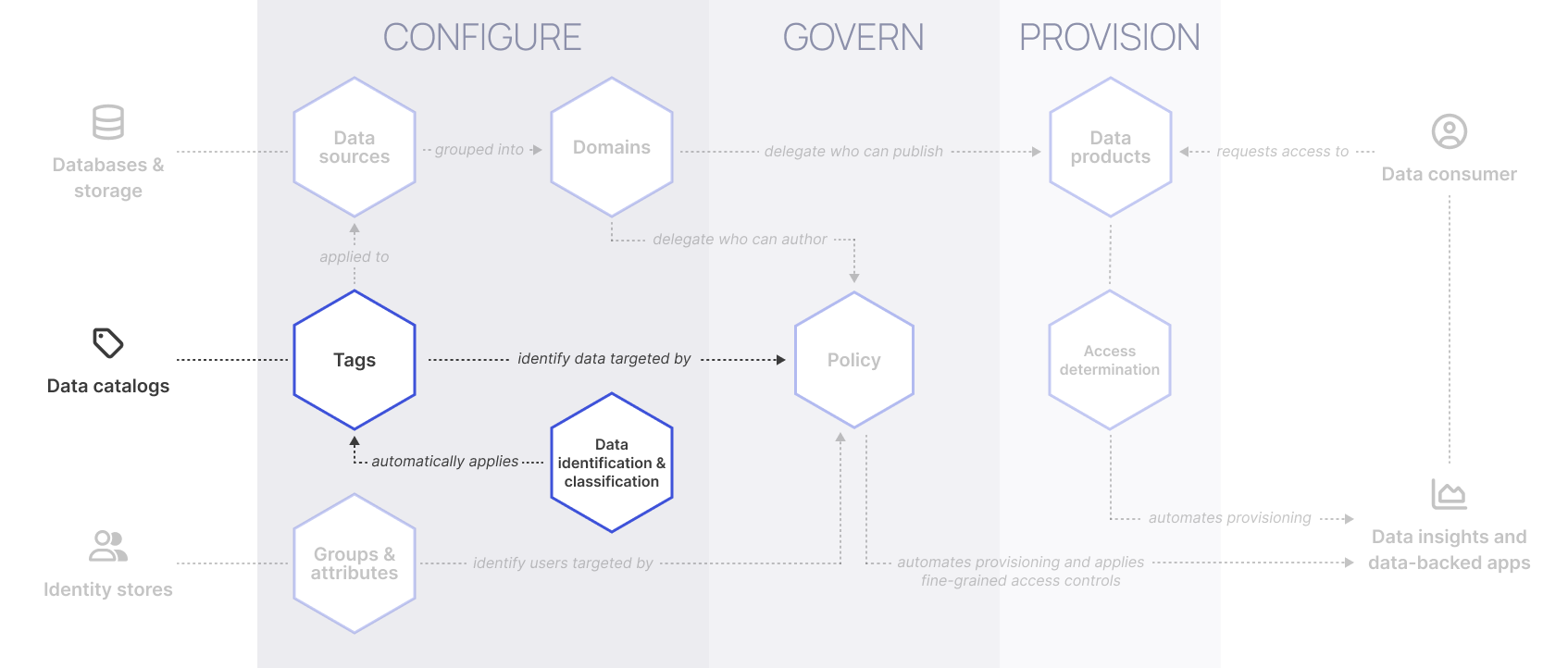
This guide describes how to organize and manage data metadata, which is used by Immuta to identify data targeted by policy:


Prerequisites
Enriching your data metadata with tags
To manage data metadata with this particular use case, you should use the ABAC method as described in the Governance use cases introduction.
This is because you must know the contents and sensitivity of every column in your data ecosystem to follow this use case. With orchestrated RBAC, you tag your columns with access logic baked in. ABAC means you tag your columns with facts: what is in the column. It is feasible to do the latter, extremely hard to do the former, especially in an data ecosystem with constant change.
Understanding that, read the Managing data metadata guide.
However, there are some considerations specific to this use case with regard to data metadata.
Automated data tagging
Automated data tagging with identification is recommended with this use case because it significantly reduces the manual effort involved in classifying and managing data. It ensures that data is consistently and accurately tagged, which is crucial for implementing effective data policies. Moreover, it allows for real-time tagging of data, ensuring that new or updated data is immediately protected by the appropriate policies. This is critical when all columns need to be considered for policy immediately, which is the case with this use case.
Schema monitoring enabled
While not directly related to data tagging, schema monitoring is a feature in Immuta that allows organizations to keep track of changes in their data environments. When enabled, Immuta actively monitors the data platform to find when new tables or columns are created or deleted. It then automatically registers or disables these tables in Immuta and updates the tags. This feature ensures that any global policies set in Immuta are applied to these newly created or updated data sources. It is assumed you are using schema monitoring when also using identification. Without this feature, data will remain in data downtime while waiting for the policies to update.
Data tags are facts
As discussed above, with ABAC your data tags need to be facts. Otherwise, a human must be involved to bake access logic into your tags. As an example, it's easy for identification to find an address, but it's harder for a human to decide if that address should be sensitive and who should have access to it - all defined with a single tag - for every column!
Next steps
Learn
Read these guides to learn more about using Immuta to mask sensitive data.
Compliantly open more sensitive data for ML and analytics: Review this use case to understand how to mask or open up sensitive data to certain users for machine learning and analytics while remaining compliant.
Managing user metadata: This guide explains how meaningful user metadata is critical to building scalable policy and understanding the considerations around how and what to capture.
Author policy: This guide describes how to define your global data policy logic.
Implement
Follow these guides to start using Immuta to mask sensitive data.
Manage user metadata. Tag your users with attributes and groups that are meaningful for Immuta global policies.
Manage data metadata. Tag your columns with tags that are meaningful.
Author policy. Define your global data policy logic.
Optionally test and deploy policy.
Last updated
Was this helpful?